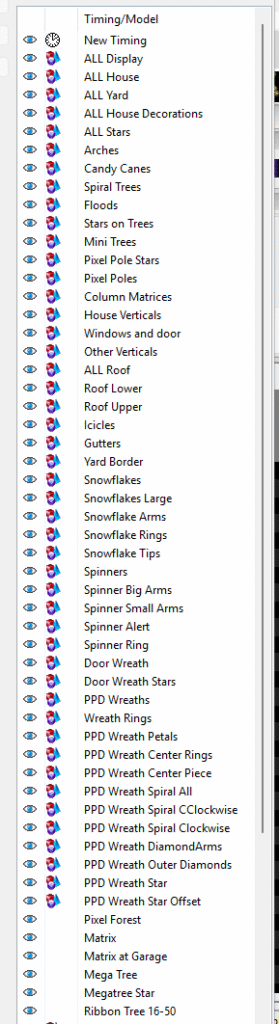
Below is the list and order to place your model groups into when setting up your Master View for a PPD Sequence Mapping. This is the next step you need to complete after setting up your groups in your home layout. If you haven't yet completed your group setup, you can find the information to do so in this link:
https://pixelprodisplays.com/step-1-ppd-group-setup-in-xlights/
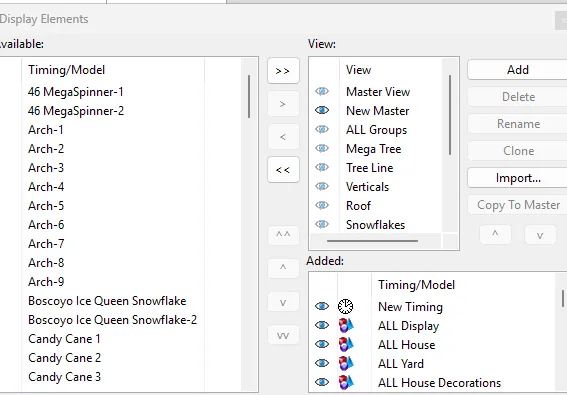
You will need to create a View, we call ours "New Master", in the Display Elements box. It's best to name this View your PPD Master view. You will use this view upon completion of your sequence mapping session.